Technology
Pure CSS vs. Tailwind CSS: A Deep Dive into Modern Web Styling
Introduction: The Battle for the Browser
If you are learning web development right now, you've definitely hit that wall. You know HTML, you've built a skeleton, and now you need to make it look decent. For the longest time, there was really only one way to do this: good old fashioned CSS (Cascading Style Sheets). We were taught to keep our structure (HTML) separate from our styles (CSS), and it all made sense.
But then, Tailwind CSS came along and completely flipped the script. Suddenly, people were writing dozens of classes directly into their HTML tags. At first glance, it looked terrifying like a return to the bad old days of inline styles. Yet, everyone was talking about how fast it was.
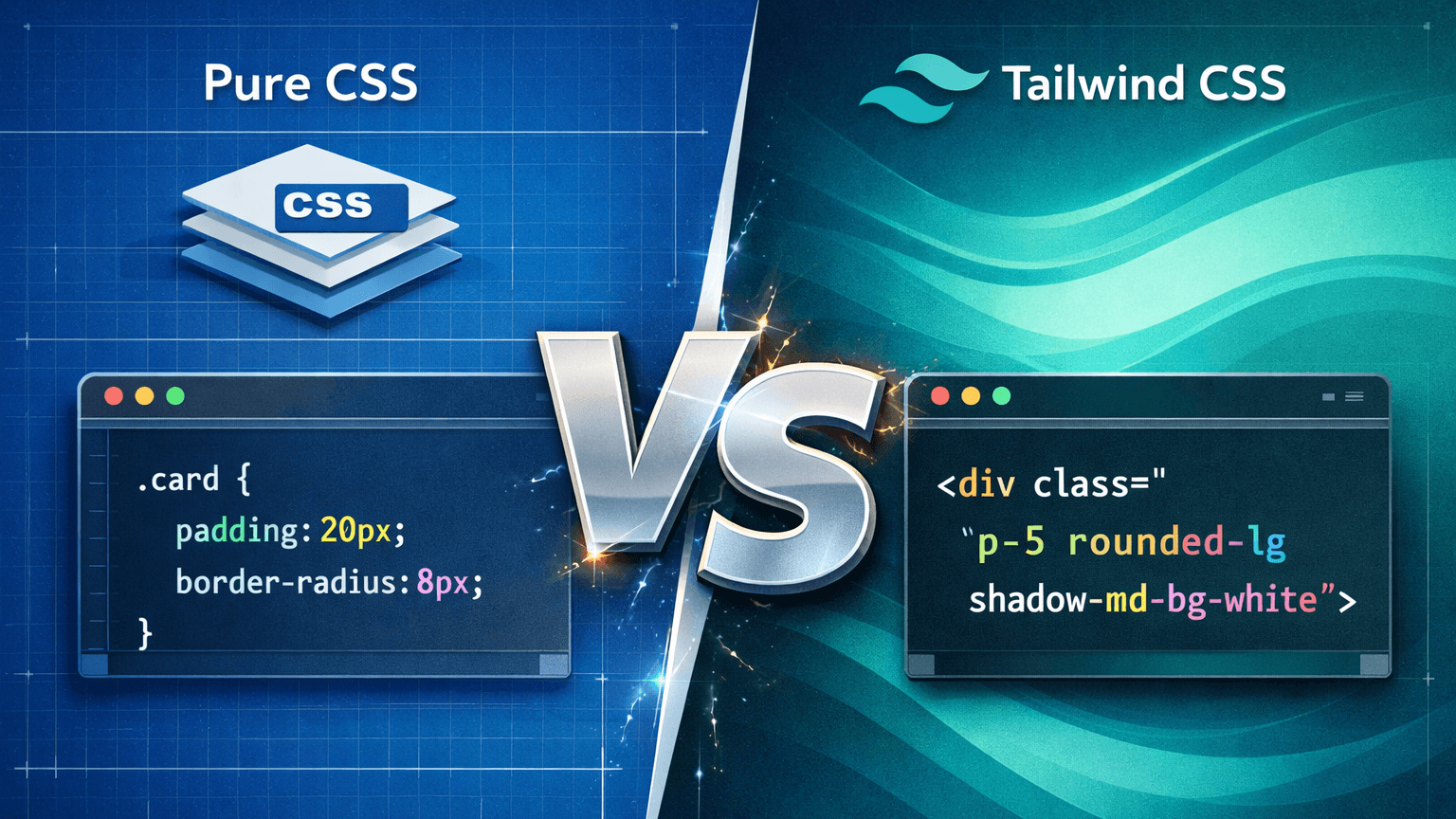
As a developer trying to figure out the best tool for the job, I decided to really dig into both approaches. Is traditional CSS dead? Is Tailwind just hype, or is it the future? Let's break down this battle based on how they actually work in the real world.
The Challenger 1
Traditional (Pure) CSS
The Philosophy: Separation of Concerns - This is the methodology most of us learned first. It’s "Stylesheet-based." The core idea is simple: your HTML should only care about what things are (a paragraph, a button, a container), and your CSS file should care about what they look like.
You create a clean separation. You maintain total control over every single pixel.
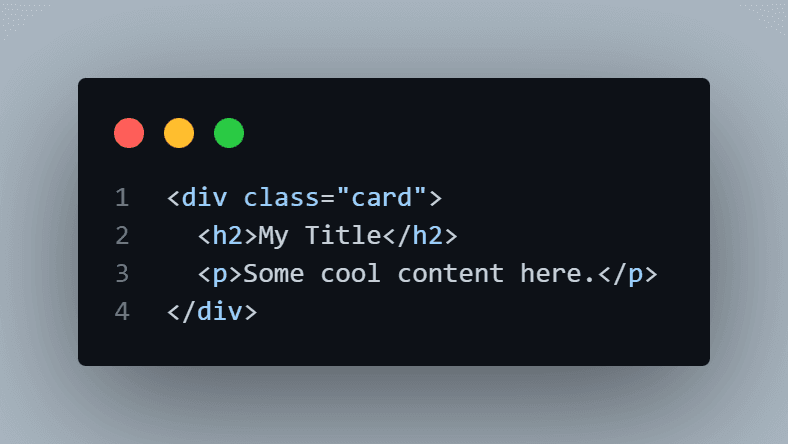
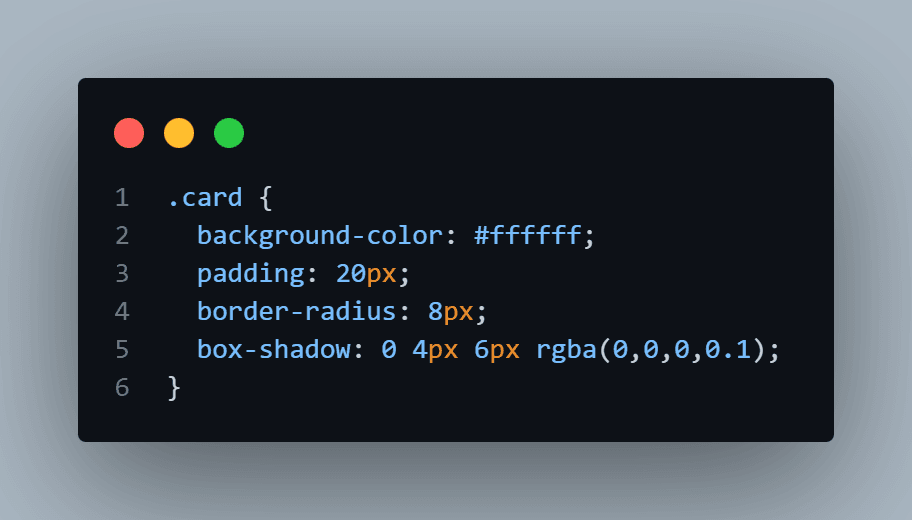
How it Works in Practice - You write your HTML, give elements descriptive class names based on what they are, and then open a separate .css file to style them.
HTML
CSS
The Good Stuff (Pros):
- Clean HTML: Your HTML looks neat. It’s easy to read the structure without getting distracted by styling noise.
- Universally Understood: Every web developer knows CSS. You don't need to learn a new framework syntax.
- Full Control: You aren't limited by a framework's pre-set values. If you want a 13.5px margin, you can have it.
The Pain Points (Cons):
- The Naming Game: The hardest part of CSS is coming up with class names. .card-wrapper-inner-container? It gets exhausting.
- Global Scope Conflicts: This is a nightmare on big projects. You write .button { color: blue; } and suddenly every button on the site changes, breaking something another developer built.
- Maintenance Issues: Your CSS file can grow massively. Finding unused styles and trying to figure out which specific 300 lines of code affect one specific div can be incredibly difficult.
The Challenger 2
Tailwind CSS
The Philosophy: Utility-Firs - Tailwind takes the "separation of concerns" rulebook and throws it out the window. Its methodology is "Utility-first." Instead of writing custom CSS, Tailwind provides thousands of small, pre defined classes that do exactly one thing (like adding padding, changing text color, or setting a width).
You style your website by composing these little utility classes directly in your HTML.
How it Works in Practicen - You barely touch a CSS file. You apply styles right where you define the structure.
HTML (with Tailwind)
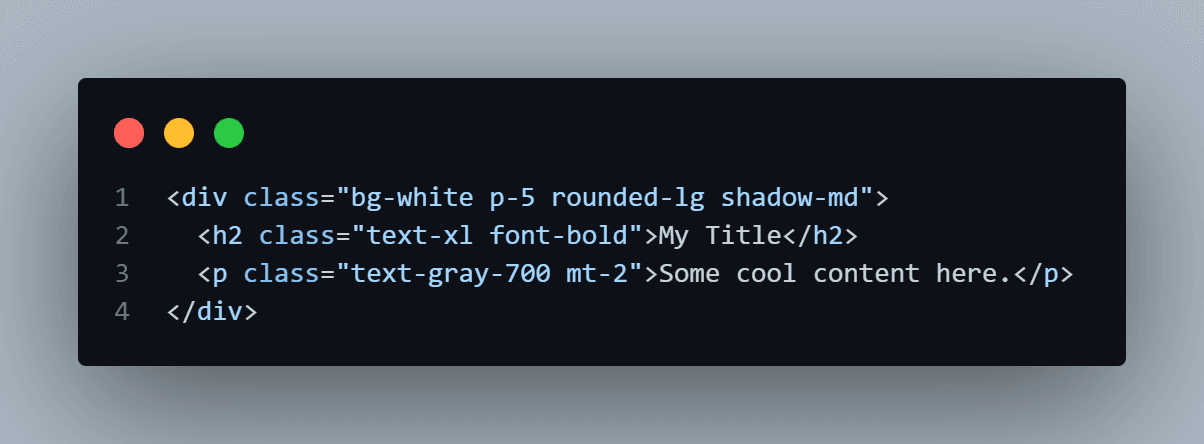
It looks messy at first, right? But look closer. bg-white sets the background. p-5 adds padding. rounded-lg rounds the corners. It’s incredibly descriptive.
The Good Stuff (Pros)
- Insane Speed: Once you know the class names, development is blazing fast. You don't have to switch context between HTML and CSS files constantly.
- Design Consistency: You are forced to use a design system. You won't accidentally use 10 different shades of gray; you'll use text-gray-500 or text-gray-600. Your site looks more professional automatically.
- No Naming Classes: You never have to agonizingly think about what to name a wrapper div again.
- Optimized Performance (JIT): Tailwind has a "Just-In-Time" (JIT) engine. It scans your HTML and only generates the CSS for the classes you actually used. The final CSS file is usually tiny.
The Pain Points (Cons)
- Ugly HTML: There is no getting around it your HTML becomes very verbose and harder to read quickly.
- Learning Curve: You have to memorize their vocabulary. Is it mt-4 or m-top-4? (It's mt-4).
- Requires a Build Step: You can't just open an HTML file and start. You need Node.js and a build process set up to make it work properly.
The Deep Dive Comparison
- Responsiveness (Mobile-First Design)
This is where I think Tailwind really shines.
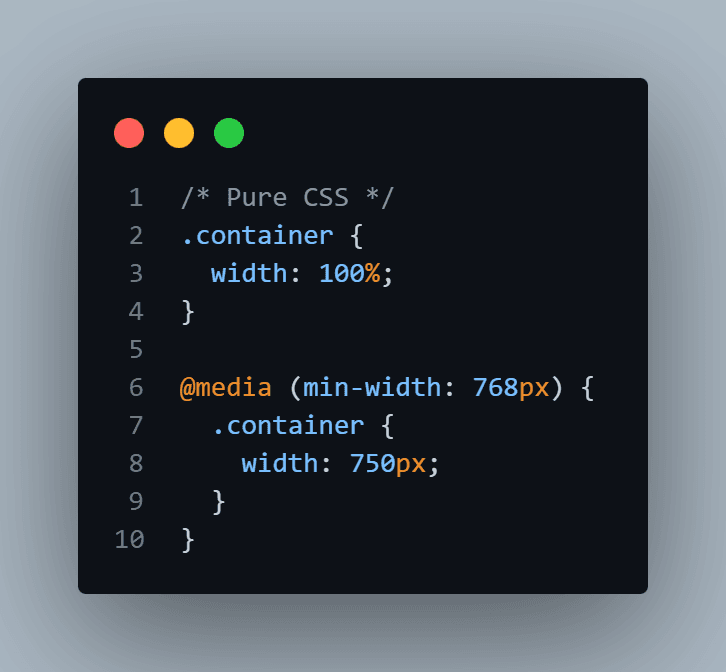
Pure CSS - have to write media queries at the bottom of your CSS file, duplicating selectors. It gets repetitive.
Tailwind CSS - ou just add a prefix right in the HTML. It feels so much more intuitive.
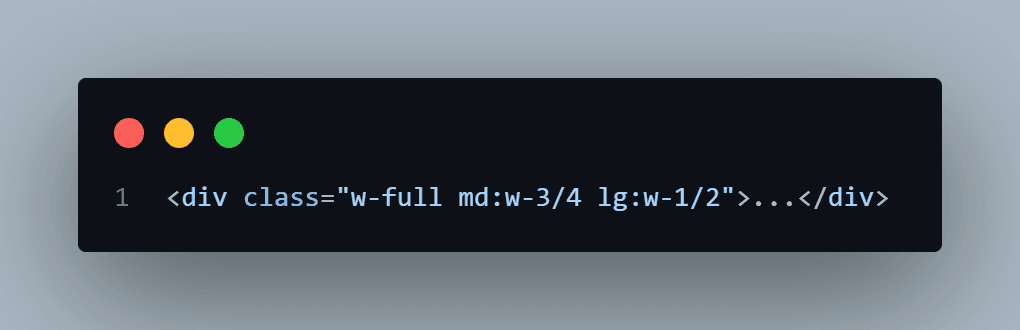
Here, it’s full width by default, becomes 3/4 width on medium screens (md:), and half width on large screens (lg:). Done.
2. Maintainability vs. Scalability
Traditional CSS is easier to start, but harder to maintain as a project grows because of global scope issues. You fear deleting CSS because you don't know what it might break.
Tailwind is harder to start (setup and learning curve), but incredibly easy to scale. Because styles are localized to the HTML element, if you delete a button in HTML, its styles are gone too. You can change a component without fear of breaking something on a totally different page.
Conclusion
Which One Should You Choose?
After researching this and trying both, here is my verdict as a student developer. It’s not about one being "better" than the other; it's about the project requirements.
Choose Pure CSS if
- You are a beginner just learning the fundamentals of the web. You need to understand how CSS properties work before you use a framework that abstracts them away.
- You are building a very small project, a simple landing page, or a quick prototype where setting up a build environment is overkill.
- You need extremely specific, highly customized, artistic designs that break standard grid systems.
Choose Tailwind CSS if
- You already know CSS fundamentals well.
- You want to build something fast. The speed boost is real once you get past the learning curve.
- You are working on a team or a large project where design consistency and maintainability are crucial.
- You hate thinking up class names (like me).
Ultimately, Tailwind isn't replacing CSS; it's just a different way of writing it. Knowing pure CSS will make you better at Tailwind, so don't skip the basics!
Test Your Knowledge!
Click the button below to generate an AI-powered quiz based on this article.
Did you enjoy this article?
Show your appreciation by giving it a like!
Conversation (0)
Cite This Article
Generating...

.jpg&w=3840&q=75)
.jpg&w=3840&q=75)