Technology
The Brain and the Senses of a Computer
Understanding Memory Systems and I/O Devices
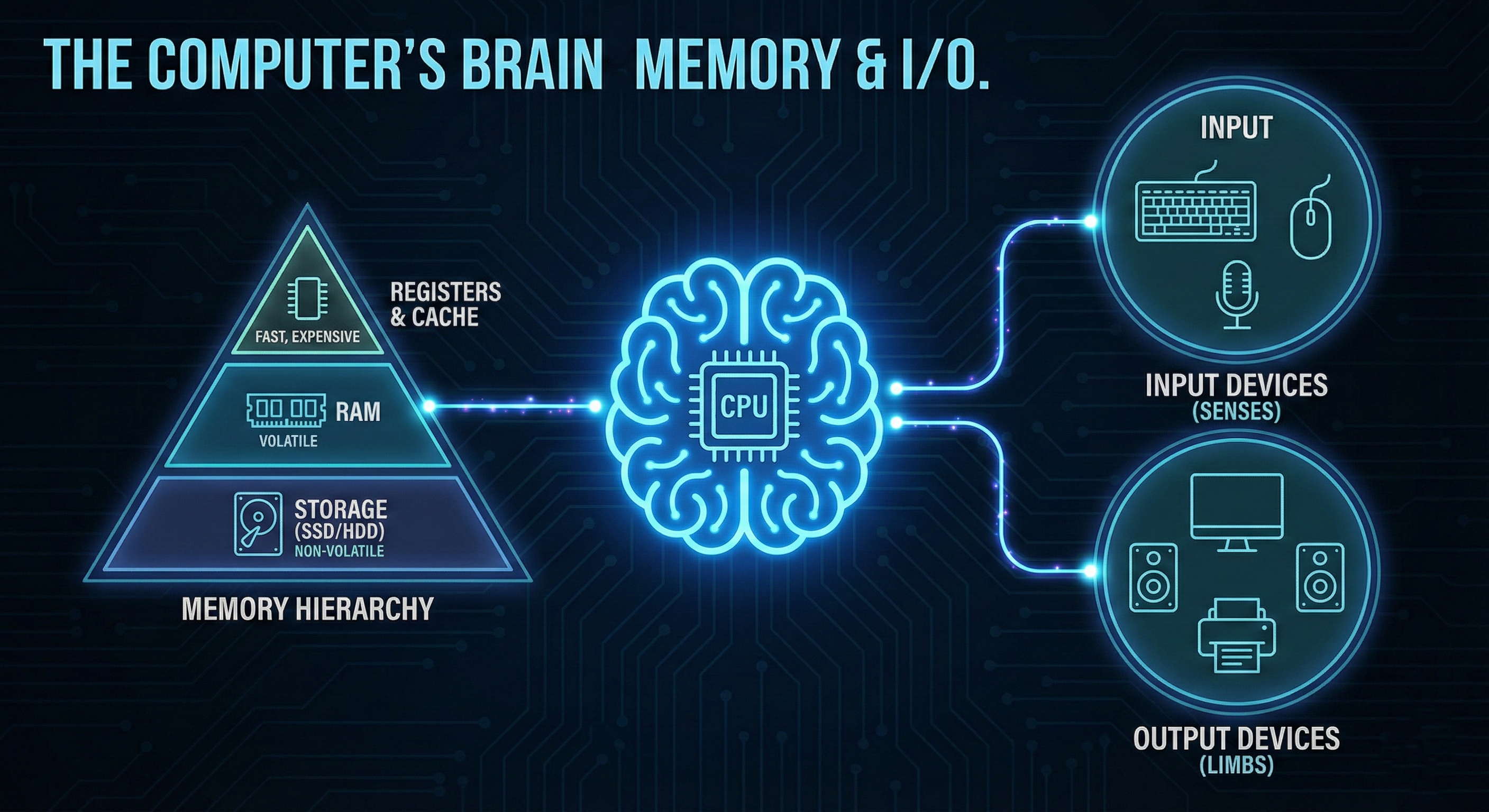
Assuming the role of the computer as the brain, the CPU is a very forgetful and lonely genius. Even a fast processor cannot be used, without a means of writing down things (Memory) and communication to the outside world (I/O).
In order to see how exactly a computer works we must go past the processor and see the cast of supporting roles - the memory hierarchy in which data is stored, and the Input/Output devices which turn data into usefulness.
1. The Hierarchy of Memory - The Trade-Off.
Why not make your computer one great big lump of memory? So what is the purpose of Cache, RAM, and SSDs?
The solution is the Memory Hierarchy. Memory can be any one of the following, fast, or cheap and vast, but not both. This is a basic law of computer engineering.
Engineers came up with a solution by constructing a pyramid
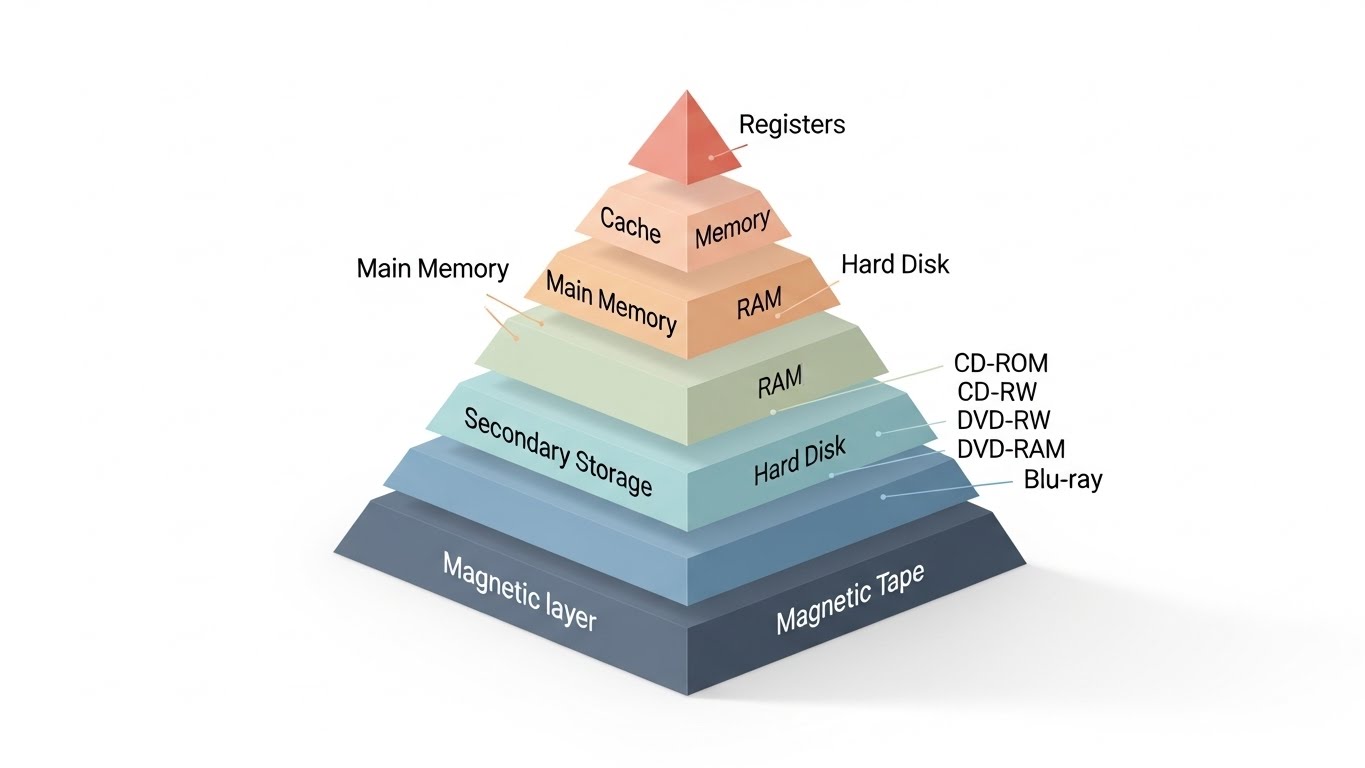
- Registers & Cache (L1, L2, L3)
These are small memory banks, which are within the CPU. They are fiercely quick (instant recall) yet absurdly costly and miniature. You can imagine this as the thoughts that are in your mind.
- RAM (Random Access Memory)
It is your Short-Term Memory. The desk space is what the computer stores the apps and data that you are using at that particular time. It is also rapid, however volatile, as once you shut off the power, the information is gone. +2
- Storage (SSD/HDD)
Your Long-Term Memory. It is slow in comparison to RAM, but gigantic and inexpensive. It is not volatile and therefore your photos and files are always safe even when you are away.
The aim of the OS is to continuously transfer data up and down this ladder, with the most urgent data maintained in the fastest memory.
2. I/O Devices - The Senses and Limbs.
When Memory is internal then I/O (Input/Output) is external. That is the way the computer communicates with the human beings and other machines. The CPU is in a world of 1s and 0s. The translators that connect the gap between such a digital world and our physical are the I/O devices.
-
Input Devices ( The Senses) - These transform real-life actions into computer-generated signals.
- Keyboard - This translates finger presses into character codes.
- Mouse - Transforms motion into X/Y coordinates.
- Microphone - This transforms sound waves into digital audio.
-
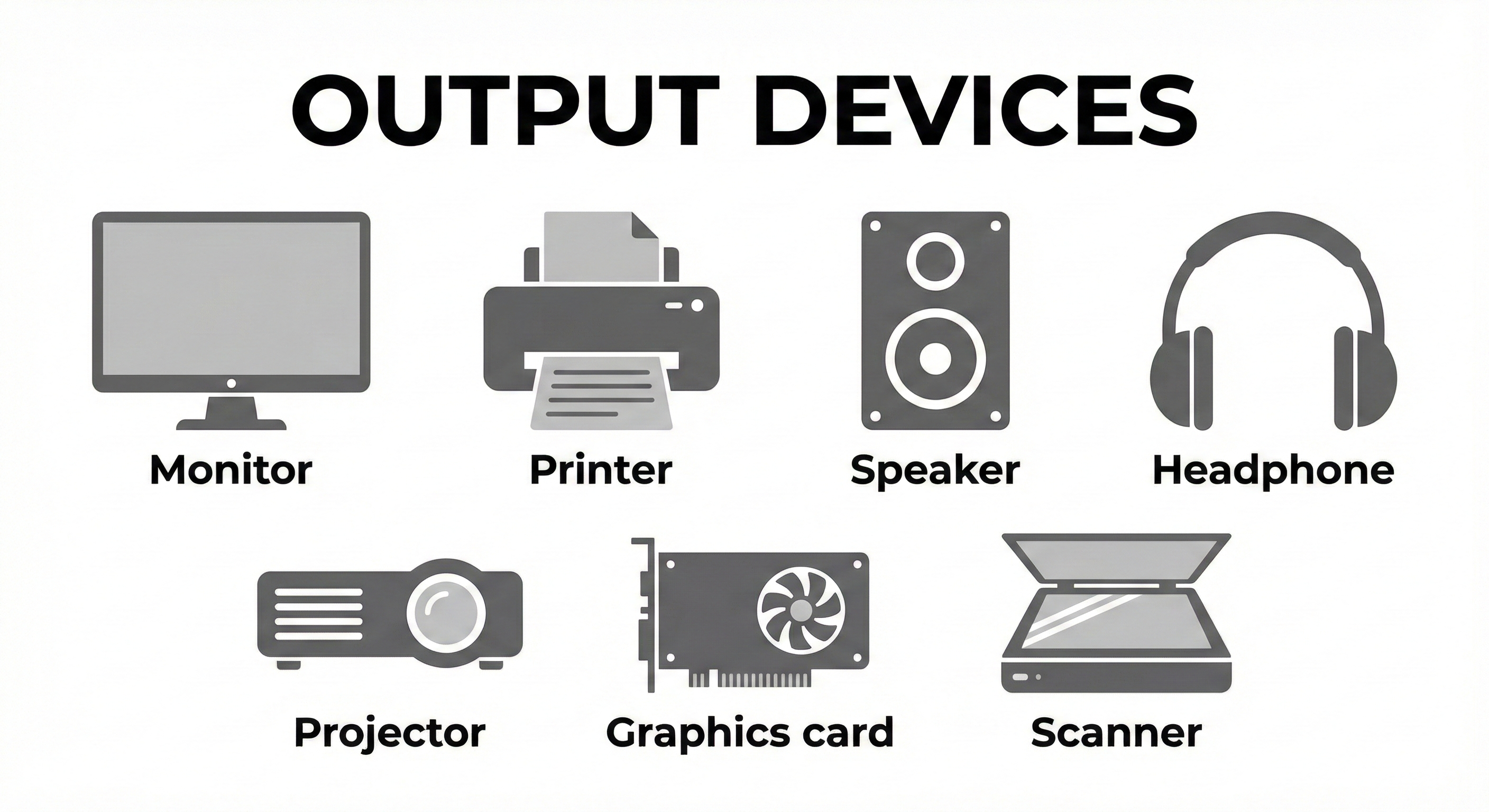
Output Devices (The Limbs) - These are the devices that convert digital signals back to tangible products.
- Monitor - Changes pixel information into light.
- Speakers - Change digital audio into sound waves.
- Printer - Transfers documents to hardcopy by using physical ink on paper.
3. The Unsung Hero - The Driver
You insert a new webcam and you are up and running. How?
The CPU is not actually aware of how to communicate with a web camera, a printer, or a mouse used in a game. They have a variety of languages. The hidden component is the Device Driver.
A driver is a software which is a translator. It informs the Operating System, I know how to communicate with this particular webcam. Send me the orders and I will do the rest. Your fancy I/O hardware is only a paper weight without drivers.
Conclusion
Escaping the Bottleneck.
The weakest link of a system can only be as strong as the system. Thou even hast the fastest CPU in the world, yet hast thou not sufficient RAM (causing the computer to use slow storage) and hast not an I/O transfer of sufficient speed, thy computer will seem slow.
The trick of creating high-performance systems is to understand the tradeoff between processing power, memory speed, and I/O efficiency.
Test Your Knowledge!
Click the button below to generate an AI-powered quiz based on this article.
Did you enjoy this article?
Show your appreciation by giving it a like!
Conversation (0)
Cite This Article
Generating...


